Fake Inbox#
What is a fake SMTP inbox?#
MockLane includes a fake SMTP inbox that captures all outgoing emails from your application. Instead of accidentally emailing real customers during development and testing, all emails land safely in your workspace inbox.
What SMTP settings do I use?#
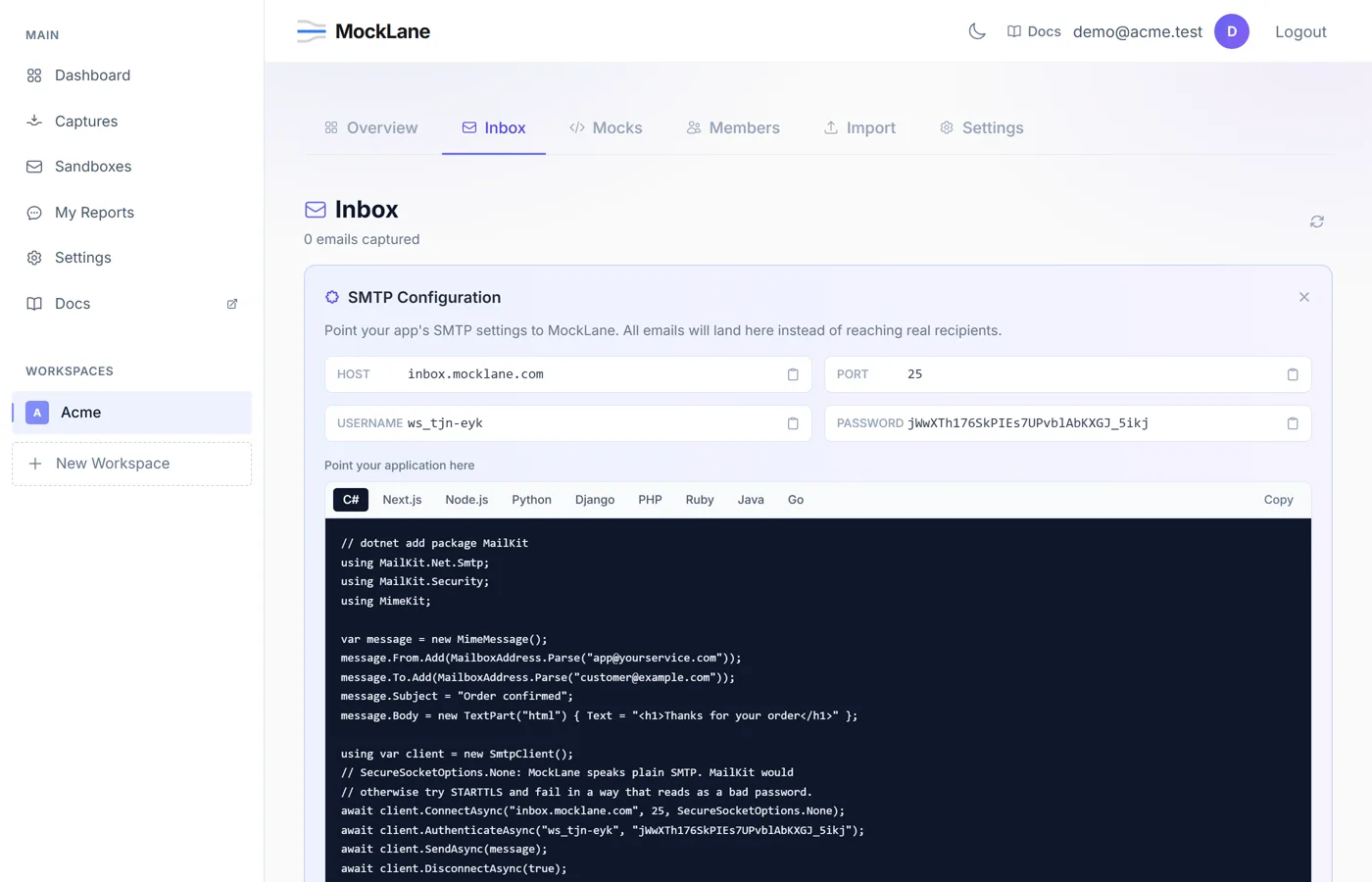
Each workspace gets unique SMTP credentials. Navigate to your workspace's Inbox tab and click Show SMTP Credentials to get:
- Host —
inbox.mocklane.com - Port —
25, plain SMTP with no TLS - Username — Auto-generated per workspace (e.g.,
ws_abc123) - Password — Random token, can be regenerated anytime
Point your application's email configuration to these credentials. All emails sent through this SMTP server will be captured and displayed in your inbox — regardless of the recipient address.
Using the Inbox#
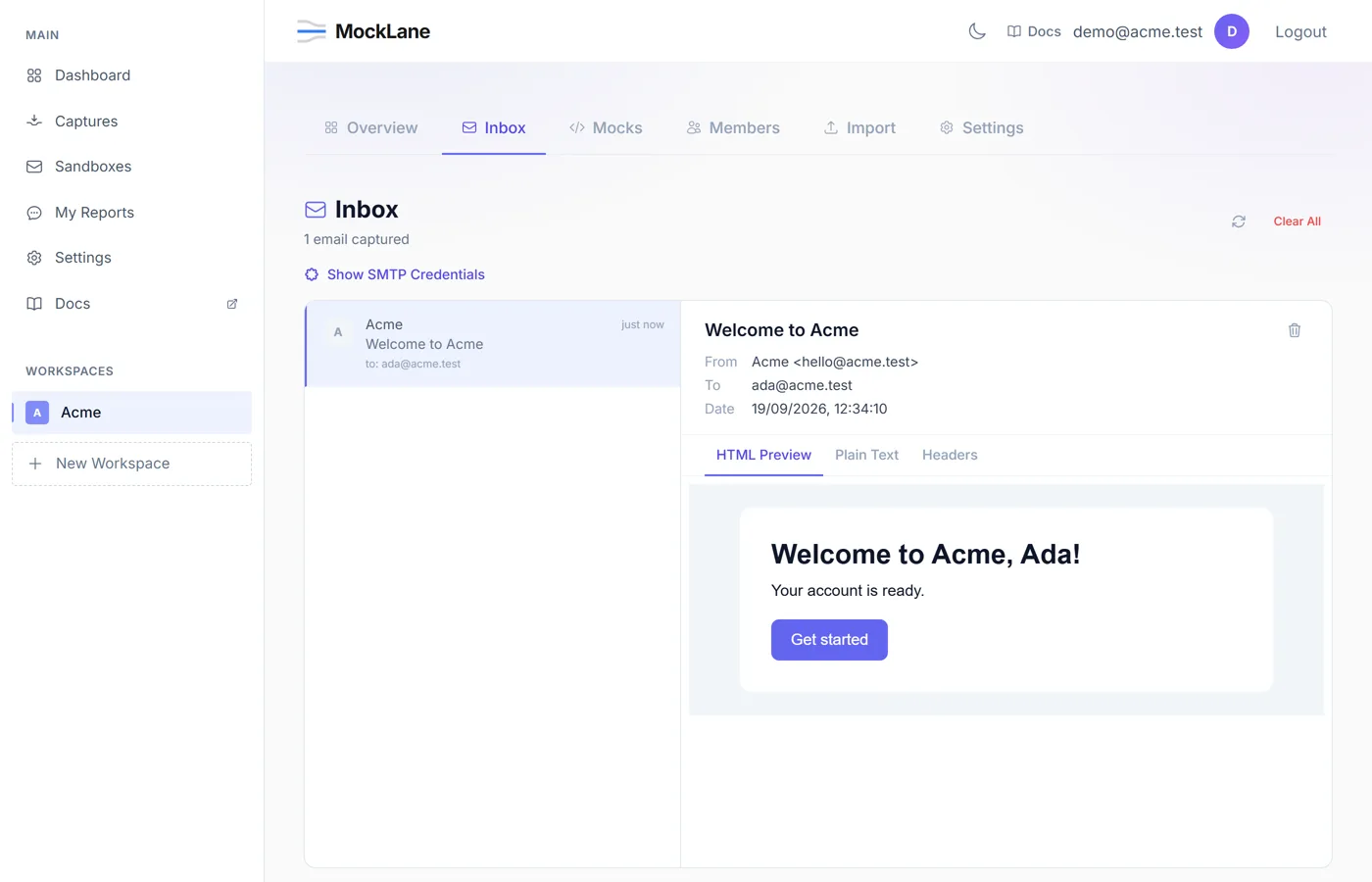
The inbox provides a full email client experience:
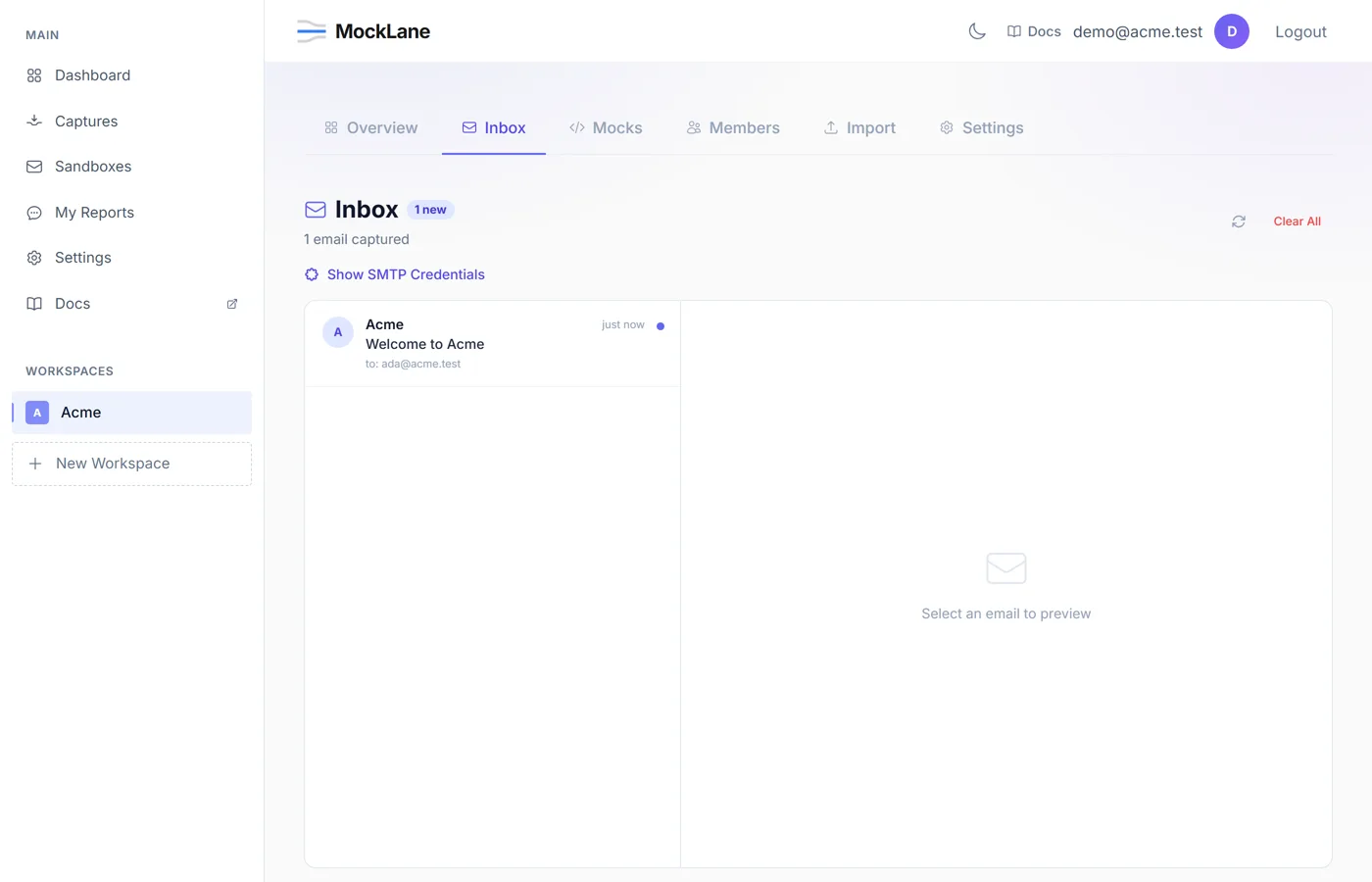
- Email list — See sender, subject, timestamp, and unread indicators
- HTML Preview — Renders HTML emails in a sandboxed preview (safe, no script execution)
- Plain Text — View the plain text version of the email
- Headers — Inspect all email headers (Message-ID, Content-Type, etc.)
- Attachments — Download attached files directly from the inbox
How do I send test email from Node, Python, Django or Rails?#
Point your application's existing mail configuration at the credentials from your workspace's Inbox tab. Nothing else changes: every message your code already sends lands in MockLane instead of a real recipient.
// dotnet add package MailKit
using MailKit.Net.Smtp;
using MailKit.Security;
using MimeKit;

var message = new MimeMessage();
message.From.Add(MailboxAddress.Parse("app@yourservice.com"));
message.To.Add(MailboxAddress.Parse("customer@example.com"));
message.Subject = "Order confirmed";
message.Body = new TextPart("html") { Text = "<h1>Thanks for your order</h1>" };

using var client = new SmtpClient();
// SecureSocketOptions.None: MockLane speaks plain SMTP. MailKit would
// otherwise try STARTTLS and fail in a way that reads as a bad password.
await client.ConnectAsync("inbox.mocklane.com", 25, SecureSocketOptions.None);
await client.AuthenticateAsync("ws_your_workspace_id", "your-smtp-password");
await client.SendAsync(message);
await client.DisconnectAsync(true);
// app/api/send/route.ts — npm i nodemailer
import nodemailer from "nodemailer";
// Created once per module, not per request: a new connection pool on every
// call is the usual reason a mail route gets slow under load.
const transport = nodemailer.createTransport({
host: process.env.SMTP_HOST ?? "inbox.mocklane.com",
port: Number(process.env.SMTP_PORT ?? 25),
secure: false, // plain SMTP, no TLS
auth: {
user: process.env.SMTP_USER ?? "ws_your_workspace_id",
pass: process.env.SMTP_PASS ?? "your-smtp-password",
},
});
export async function POST(request: Request) {
const { to } = await request.json();
await transport.sendMail({
from: "app@yourservice.com",
to,
subject: "Order confirmed",
html: "<h1>Thanks for your order</h1>",
});
return Response.json({ sent: true });
}// npm i nodemailer
const nodemailer = require("nodemailer");
const transport = nodemailer.createTransport({
host: "inbox.mocklane.com",
port: 25,
secure: false,
auth: { user: "ws_your_workspace_id", pass: "your-smtp-password" },
});
await transport.sendMail({
from: "app@yourservice.com",
to: "customer@example.com",
subject: "Order confirmed",
html: "<h1>Thanks for your order</h1>",
});import smtplib
from email.message import EmailMessage
message = EmailMessage()
message["From"] = "app@yourservice.com"
message["To"] = "customer@example.com"
message["Subject"] = "Order confirmed"
message.set_content("Thanks for your order")
message.add_alternative("<h1>Thanks for your order</h1>", subtype="html")
# smtplib.SMTP, not SMTP_SSL: the server speaks plain SMTP, and no
# starttls() call is needed or accepted.
with smtplib.SMTP("inbox.mocklane.com", 25) as smtp:
smtp.login("ws_your_workspace_id", "your-smtp-password")
smtp.send_message(message)# settings.py — point your existing mail code at MockLane
EMAIL_BACKEND = "django.core.mail.backends.smtp.EmailBackend"
EMAIL_HOST = "inbox.mocklane.com"
EMAIL_PORT = 25
EMAIL_HOST_USER = "ws_your_workspace_id"
EMAIL_HOST_PASSWORD = "your-smtp-password"
EMAIL_USE_TLS = False
EMAIL_USE_SSL = False
# Nothing else changes: send_mail() and every EmailMessage in your codebase
# now lands in the MockLane inbox instead of a real recipient.<?php
// composer require phpmailer/phpmailer
use PHPMailer\PHPMailer\PHPMailer;
$mail = new PHPMailer(true);
$mail->isSMTP();
$mail->Host = 'inbox.mocklane.com';
$mail->Port = 25;
$mail->SMTPAuth = true;
$mail->Username = 'ws_your_workspace_id';
$mail->Password = 'your-smtp-password';
$mail->SMTPSecure = ''; // plain SMTP
$mail->SMTPAutoTLS = false; // PHPMailer upgrades to TLS by default
$mail->setFrom('app@yourservice.com');
$mail->addAddress('customer@example.com');
$mail->Subject = 'Order confirmed';
$mail->isHTML(true);
$mail->Body = '<h1>Thanks for your order</h1>';
$mail->send();# config/environments/development.rb
config.action_mailer.delivery_method = :smtp
config.action_mailer.smtp_settings = {
address: "inbox.mocklane.com",
port: 25,
user_name: "ws_your_workspace_id",
password: "your-smtp-password",
authentication: :plain,
enable_starttls_auto: false,
}// Jakarta Mail
Properties props = new Properties();
props.put("mail.smtp.host", "inbox.mocklane.com");
props.put("mail.smtp.port", "25");
props.put("mail.smtp.auth", "true");
props.put("mail.smtp.starttls.enable", "false");
Session session = Session.getInstance(props, new Authenticator() {
protected PasswordAuthentication getPasswordAuthentication() {
return new PasswordAuthentication("ws_your_workspace_id", "your-smtp-password");
}
});
MimeMessage message = new MimeMessage(session);
message.setFrom(new InternetAddress("app@yourservice.com"));
message.setRecipients(Message.RecipientType.TO, "customer@example.com");
message.setSubject("Order confirmed");
message.setContent("<h1>Thanks for your order</h1>", "text/html; charset=utf-8");
Transport.send(message);package main
import (
"fmt"
"net/smtp"
)
func main() {
auth := smtp.PlainAuth("", "ws_your_workspace_id", "your-smtp-password", "inbox.mocklane.com")
body := "From: app@yourservice.com\r\n" +
"To: customer@example.com\r\n" +
"Subject: Order confirmed\r\n" +
"Content-Type: text/html; charset=utf-8\r\n\r\n" +
"<h1>Thanks for your order</h1>\r\n"
addr := fmt.Sprintf("%s:%d", "inbox.mocklane.com", 25)
if err := smtp.SendMail(addr, auth, "app@yourservice.com",
[]string{"customer@example.com"}, []byte(body)); err != nil {
panic(err)
}
}Forwarding sandbox mail to a real address#
A sandbox inbox (a standalone mailbox at {prefix}@inbox.mocklane.com, separate from a workspace's SMTP inbox) can forward every message it receives to up to three real addresses. On the sandbox's Forwarding card, enter the addresses separated by a semicolon and save. Forwarding is on whenever the field has addresses in it; clear the field and save to turn it off. It applies to mail that arrives after you save, not to messages already in the sandbox.
Reply-To set to the original sender, so replying reaches them. Because the message is not from the original sender, any rule in your real inbox that filters on that sender will not match the forwarded copy. The original message is always kept in the sandbox as well; forwarding sends an additional copy, it does not move the message.- Limits: up to 100 forwarded messages per sandbox per hour and 500 per account per day. These count messages, not destinations — one message forwarded to three addresses counts once.
- Every forwarded message includes a stop link. The recipient can use it to end forwarding to their own address at any time, and once an address has been stopped this way it cannot be added back — MockLane rejects it if you try. Marking a forwarded message as spam has the same effect: forwarding to that address stops automatically. That includes you: if you own the destination inbox, do not click the stop link on an address you want to keep — stopping is permanent and there is no undo.
- If a message is too large to forward with its attachments, MockLane sends the forwarded copy without them and notes how many were dropped. The attachments themselves are not lost — they stay downloadable from the original message in the sandbox.
MockLane © 2026 · Built for developers
Go to Dashboard