Mock APIs#
What is a mock API?#
Create fully functional API endpoints without server-side code. Define endpoints, set response bodies with dynamic data, and share a working API URL with your team.
Mock endpoints are served at:
https://mocklane.com/m/{workspace-short-id}{path}

# Example:
GET https://mocklane.com/m/abc-xyz/api/users
GET https://mocklane.com/m/abc-xyz/api/users/42
How do I create a mock API endpoint?#
- 1Navigate to your workspace → Mocks tab.
- 2Click New Mock.
- 3Set the HTTP method (GET, POST, PUT, PATCH, DELETE).
- 4Set the path (e.g.,
/api/usersor/api/users/:id). - 5Click Create to open the editor.
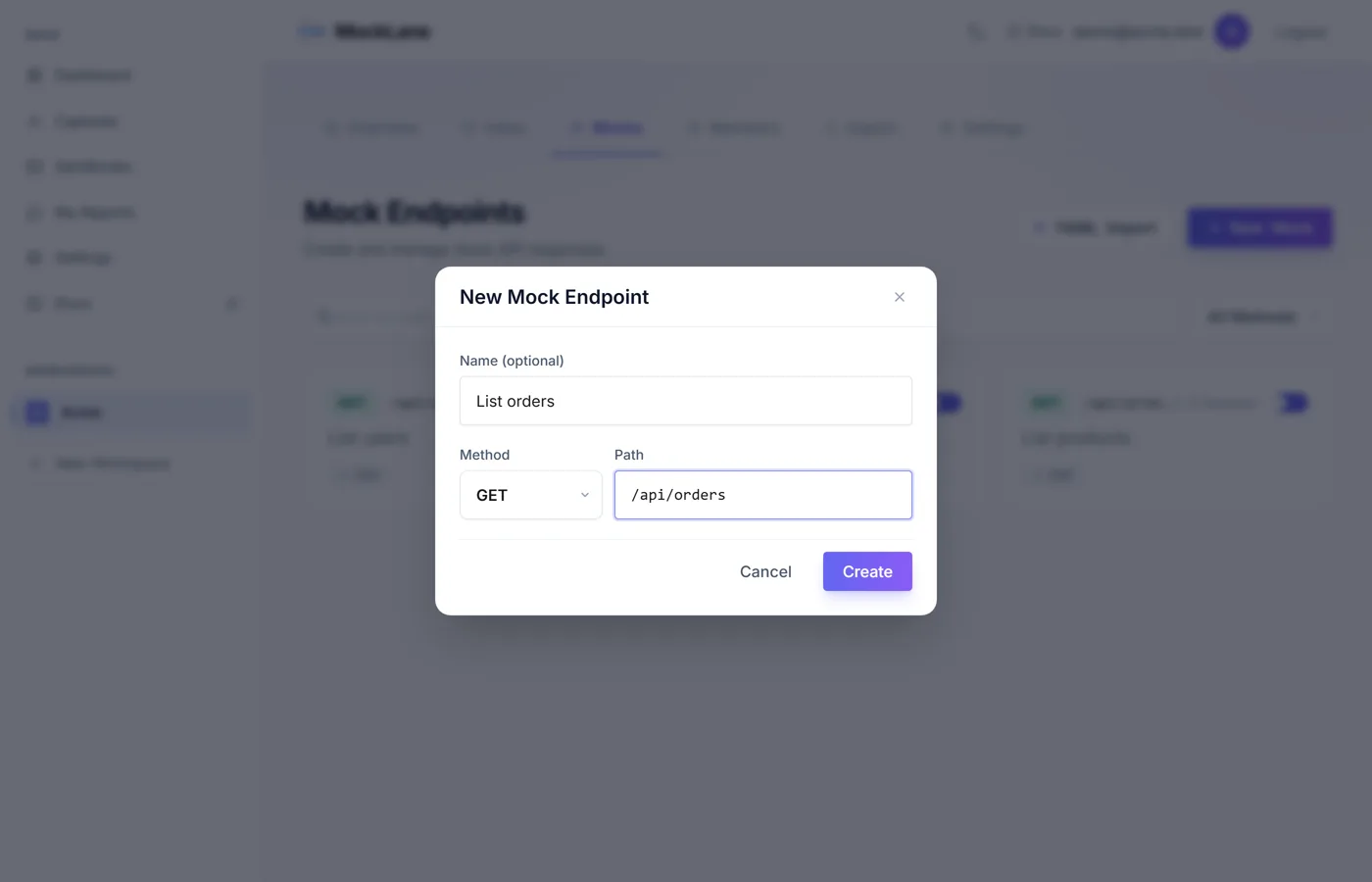
/api/users/:id matches requests like /api/users/123.Response Body & Status#
Configure the response consumers will receive:
- Status Code — 200, 201, 404, 500, etc.
- Response Headers — Custom headers (
Content-Typedefaults toapplication/json). - Response Body — JSON with optional template variables.
- Response Delay — Simulate latency in milliseconds.
How do I generate dynamic response data?#
Embed dynamic generators in your JSON response using {{...}} syntax. Each call produces fresh random values.
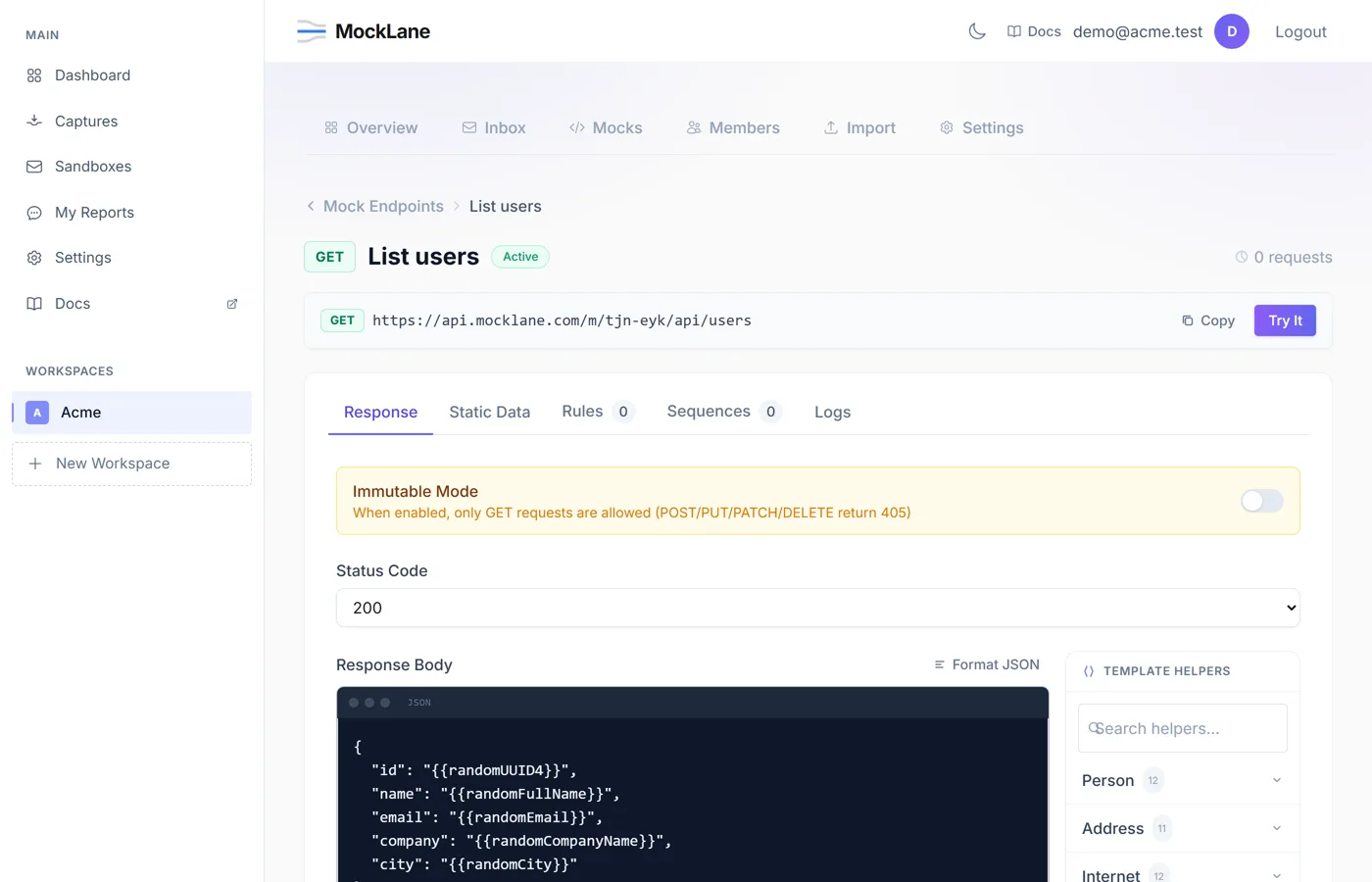
{
  "id": "{{randomUUID}}",
  "name": "{{faker.fullName}}",
  "email": "{{faker.email}}",
  "age": "{{randomInt 18 65}}",
  "avatar": "{{faker.avatar}}",
  "joined": "{{now}}",
  "address": {
"city": "{{faker.city}}",
"country": "{{faker.country}}"
  }
}
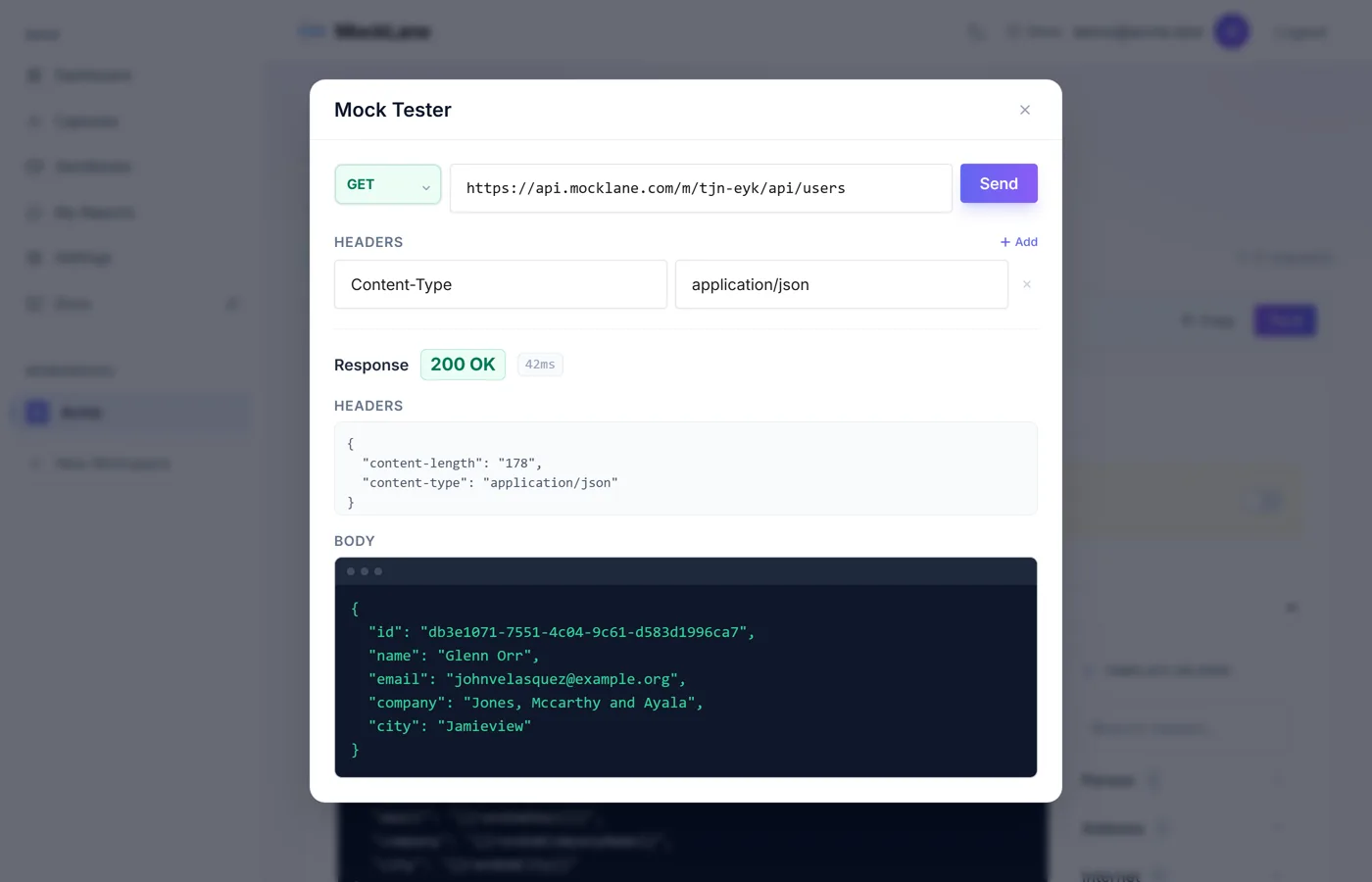
Each request returns unique data:
{
  "id": "550e8400-e29b-41d4-a716-446655440000",
  "name": "Emma Johnson",
  "email": "emma.johnson@example.com",
  "age": 34,
  "avatar": "https://i.pravatar.cc/150?u=550e8400",
  "joined": "2026-04-12T10:30:00Z",
  "address": {
"city": "San Francisco",
"country": "United States"
  }
}
Generator Reference#
MockLane includes 121 built-in generators, plus direct access to any Faker method via {{faker.method()}}. Use the Template Helper picker in the editor or type them manually.
Identity
| Template | Example |
|---|---|
| {{faker.firstName}} | Emma |
| {{faker.lastName}} | Johnson |
| {{faker.fullName}} | Emma Johnson |
| {{faker.email}} | emma@example.com |
| {{faker.username}} | emma_j92 |
| {{faker.phone}} | +1-555-0142 |
| {{faker.avatar}} | https://i.pravatar.cc/150?u=... |
Location
| Template | Example |
|---|---|
| {{faker.city}} | San Francisco |
| {{faker.country}} | United States |
| {{faker.address}} | 123 Main St |
| {{faker.zipCode}} | 94102 |
| {{faker.latitude}} | 37.7749 |
| {{faker.longitude}} | -122.4194 |
Internet
| Template | Example |
|---|---|
| {{faker.url}} | https://example.com/page |
| {{faker.domain}} | example.com |
| {{faker.ipv4}} | 192.168.1.42 |
| {{faker.ipv6}} | 2001:0db8:85a3:... |
| {{faker.userAgent}} | Mozilla/5.0 ... |
| {{faker.slug}} | my-awesome-post |
Numbers & IDs
| Template | Example |
|---|---|
| {{randomUUID}} | 550e8400-e29b-41d4-... |
| {{randomInt 1 1000}} | 42 |
| {{randomFloat 0 100 2}} | 73.25 |
| {{autoIncrement}} | 1, 2, 3, ... |
Date & Time
| Template | Example |
|---|---|
| {{now}} | 2026-04-12T10:30:00Z |
| {{faker.pastDate}} | 2025-08-14 |
| {{faker.futureDate}} | 2027-01-20 |
| {{faker.timestamp}} | 1744468200 |
Commerce
| Template | Example |
|---|---|
| {{faker.price}} | 29.99 |
| {{faker.productName}} | Wireless Headphones |
| {{faker.companyName}} | Acme Corp |
| {{faker.currencyCode}} | USD |
Text
| Template | Example |
|---|---|
| {{faker.word}} | synergy |
| {{faker.sentence}} | The quick brown fox... |
| {{faker.paragraph}} | Lorem ipsum dolor sit... |
| {{faker.title}} | Senior Developer |
Color & Media
| Template | Example |
|---|---|
| {{faker.hexColor}} | #3B82F6 |
| {{faker.rgbColor}} | rgb(59, 130, 246) |
| {{faker.imageUrl}} | https://picsum.photos/... |
| {{faker.mimeType}} | application/json |
How do I return different responses for different requests?#
Return different responses based on the incoming request. Each rule has its own status code, headers, and body.
Match conditions can test against:
- Headers — e.g., when
Authorizationcontains "Bearer". - Query Parameters — e.g., when
status=active. - Body Fields — e.g., when
typeequals "premium". - Path Parameters — e.g., when
:idequals "404".
Rules are evaluated in priority order. First match wins. If none match, the default response is returned.
How do I change the response on each call?#
Define a series of responses returned in order, one per request. Useful for simulating state changes:
Step 1 → 200 {"status": "pending"}
Step 2 → 200 {"status": "processing"}
Step 3 → 200 {"status": "completed"}
     ↩ loops back to Step 1
When Loop is enabled, the sequence restarts after the last step. Otherwise, the last step repeats indefinitely.
How do I serve a JSON file as an API?#
Put a JSON array on the endpoint's Static Data tab and it serves that array, filtered by exact-match query parameters such as ?role=admin:
| Method | Path | Description |
|---|---|---|
| GET | /api/users | Returns the array |
| GET | /api/users/:id | The item with that id (a second mock whose path ends in /:id) |
Immutable Mode#
Enable Immutable Mode to restrict an endpoint to GET requests only. All write methods return 405 Method Not Allowed. Useful for exposing read-only data.
How do I simulate API errors and failures?#
Test error handling by configuring:
- Error Rate — Percentage of requests that return an error (0–100%).
- Error Status — HTTP status code for errors (e.g., 500, 503).
- Error Body — Custom JSON body for error responses.
Example: set 20% error rate with 503 status to simulate intermittent outages.
Mock URL#
Every mock endpoint has a live URL displayed at the top of the editor. Use it in your frontend, mobile app, or any HTTP client:
# cURL
curl https://mocklane.com/m/abc-xyz/api/users

# JavaScript
const res = await fetch("https://mocklane.com/m/abc-xyz/api/users");
const data = await res.json();

# Python
import requests
r = requests.get("https://mocklane.com/m/abc-xyz/api/users")
data = r.json()
MockLane © 2026 · Built for developers
Go to Dashboard