Mock authentication#
Each workspace has its own mock auth server. It issues RS256 test tokens under its own issuer URL, and any mock you protect accepts only tokens signed by that workspace — so you can build and test the “my app has to send a bearer token” path without wiring up a real identity provider.
How do I set up test clients and users?#
- 1Open the workspace's Auth tab.
- 2Create a test client: a name, the scopes it is allowed to request, access and refresh token lifetimes, and whether it is public or confidential. A confidential client's secret is shown once, right after creation — copy it then, because the dashboard never shows it again.
- 3Add a test user: a username and password for the password grant, plus any roles and custom claims you want baked into its tokens.
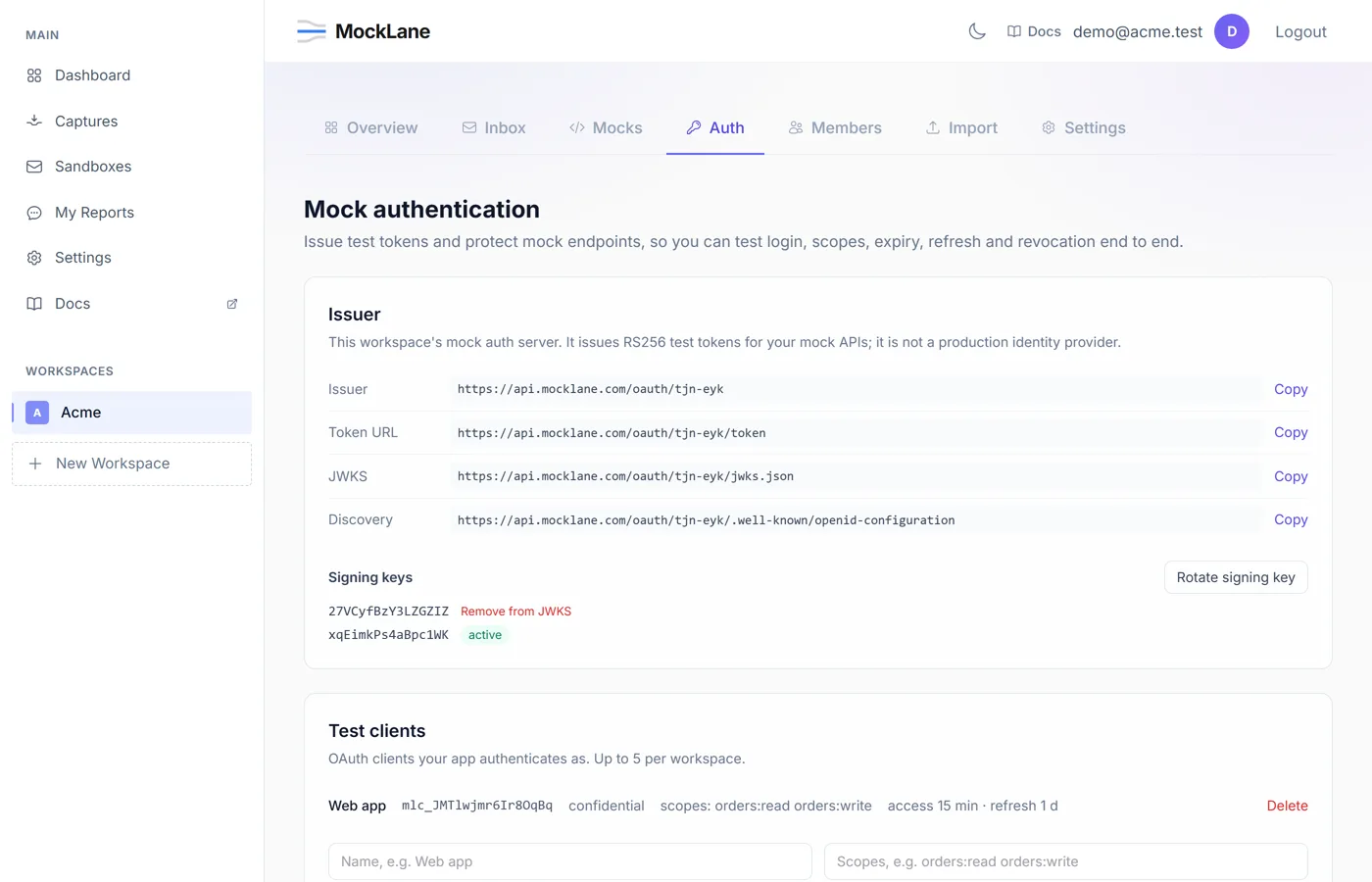
A workspace can have at most 5 test clients and 20 test users. Use Edit on a client to change its allowed scopes and token lifetimes, or on a test user to change its roles, custom claims or password.
Scope and role names follow RFC 6749's scope-token rule: printable ASCII with no spaces, double quotes or backslashes, such as orders:read. Anything else is refused when you save it.
How do I get a token?#
A confidential client authenticates at the workspace's token endpoint with HTTP Basic auth (client_id:client_secret), or with client_id and client_secret as form fields in the request body. A public client has no secret and sends only client_id in the body. Three grants are supported.
curl -u mlc_CLIENT:mls_SECRET -d grant_type=client_credentials -d scope=orders:read \
https://api.mocklane.com/oauth/abc-xyz/tokencurl -u mlc_CLIENT:mls_SECRET -d grant_type=password -d username=ada -d password=pa55word \
https://api.mocklane.com/oauth/abc-xyz/tokencurl -u mlc_CLIENT:mls_SECRET -d grant_type=refresh_token -d refresh_token=mlrt_… \
https://api.mocklane.com/oauth/abc-xyz/tokenA successful response looks like this.
{
  "access_token": "eyJhbGciOiJSUzI1NiIs...",
  "token_type": "Bearer",
  "expires_in": 900,
  "scope": "orders:read",
  "refresh_token": "mlrt_..."
}
refresh_token is only present for grants that started from a test user (password, and the refresh that follows it). An error response uses the same error / error_description shape, with one of these codes:
invalid_request— a required parameter, such asgrant_type, is missing, or a parameter was sent as a file instead of a text field.invalid_client— the client id or secret is wrong, or the client does not exist.invalid_grant— the username or password is wrong, or the refresh token is invalid, revoked, expired or already used.unauthorized_client— a public client triedclient_credentials, which needs a client secret.unsupported_grant_type— the grant type is not one of the three above.invalid_scope— a requested scope is not in the client's allowed scopes, or a refresh tried to widen the original scope or asked for a scope the client is no longer allowed.
How do I protect a mock?#
In the mock editor, switch on Require a bearer token, then set required scopes (a request needs all of them) and required roles (a request needs any one of them).
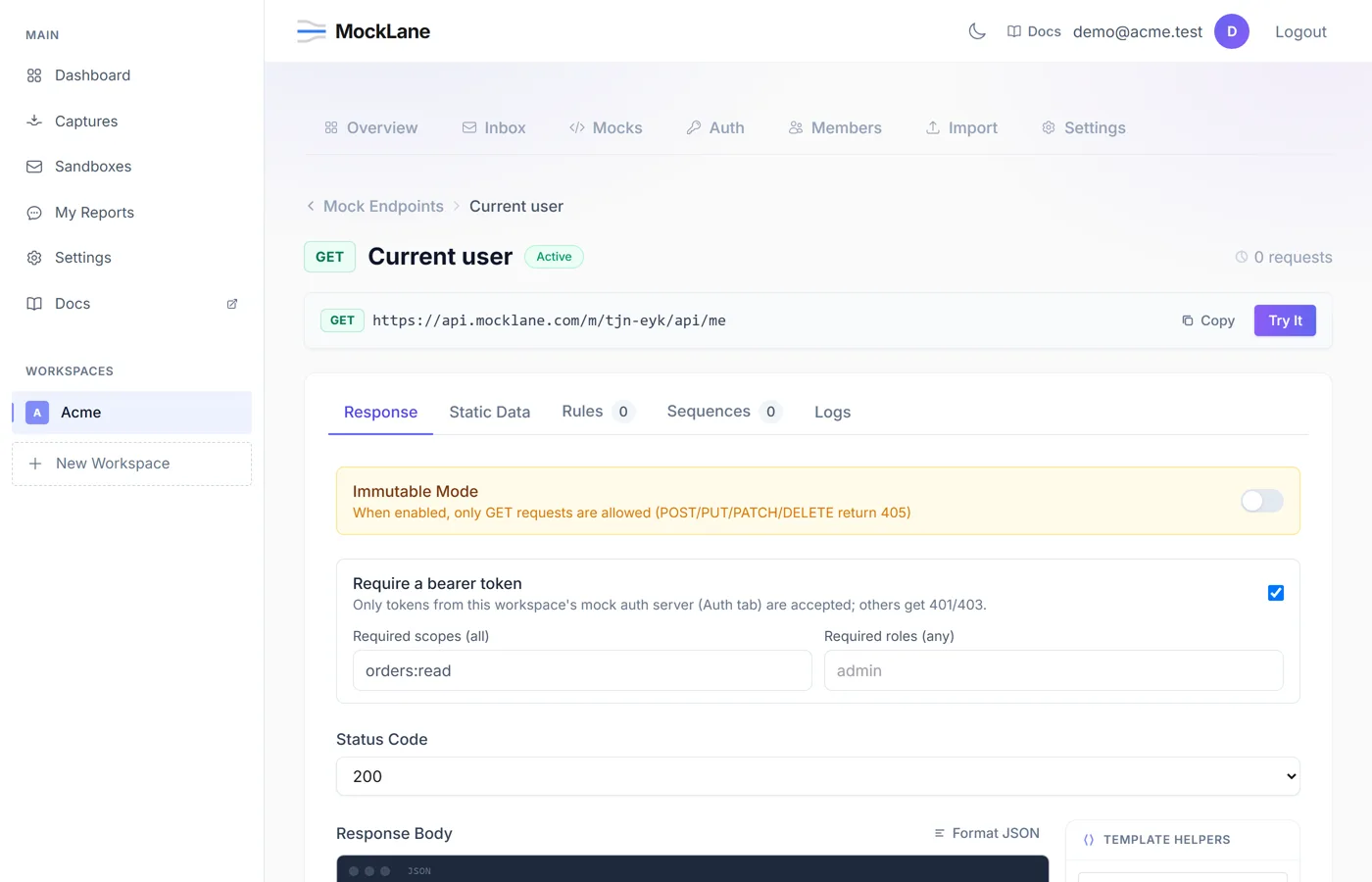
Every refusal follows RFC 6750: a WWW-Authenticate header plus a JSON body with error and error_description.
- No token — 401,
WWW-Authenticate: Bearer realm="mocklane", body{"error": "invalid_request", "error_description": "A bearer token is required"}. - Bad or expired token — 401 with
error="invalid_token"and anerror_descriptionnaming the reason (expired, not yet valid, malformed, wrong issuer, unknown key, revoked, and so on). - Missing scope — 403,
Bearer realm="mocklane", error="insufficient_scope", scope="…". This header carries noerror_description. - Missing role — 403 with
error="insufficient_scope"anderror_description="Requires one of the roles: …".
Every refusal is also recorded on the mock's Logs tab, in the Auth column, so you can see why a call was turned away without reproducing it. Mocks send Access-Control-Expose-Headers: WWW-Authenticate, so browser code can read the refusal header too.
A protected mock's response body can read the token's claims with {{request.auth.sub}} and {{request.auth.claims.email}}. Response rules can branch on the same data: a condition's field can be auth.roles or auth.claims.<name>, for example:
{ "field": "auth.claims.email", "operator": "equals", "value": "ada@acme.test" }contains on auth.roles as a role check. It matches as a substring against the list's string form, so a check for admin also matches a user whose only role is superadmin. Use equals against a single role, or the mock's own required roles field instead.How do I test expiry, refresh and revocation?#
- Access and refresh token lifetimes are set per client, from 10 seconds up to one year — short enough to watch a token expire without waiting an hour.
- Refresh tokens rotate: each use returns a new refresh token, and reusing an already-used one revokes its whole token family, not just that one token. A refresh can ask for a narrower
scope; that narrows only the new access token, and the new refresh token keeps the original scope (RFC 6749 section 6). POST /oauth/{workspace}/revokerevokes a specific refresh token (RFC 7009: it always returns 200, whether or not the token was known).- Revoke all sessions on a test user invalidates every access token already issued to them, not just their refresh tokens.
- Rotating the signing key starts signing new tokens with the new key, while old keys stay in JWKS — and valid — until you remove them.
How do I make an expired or invalid token on purpose?#
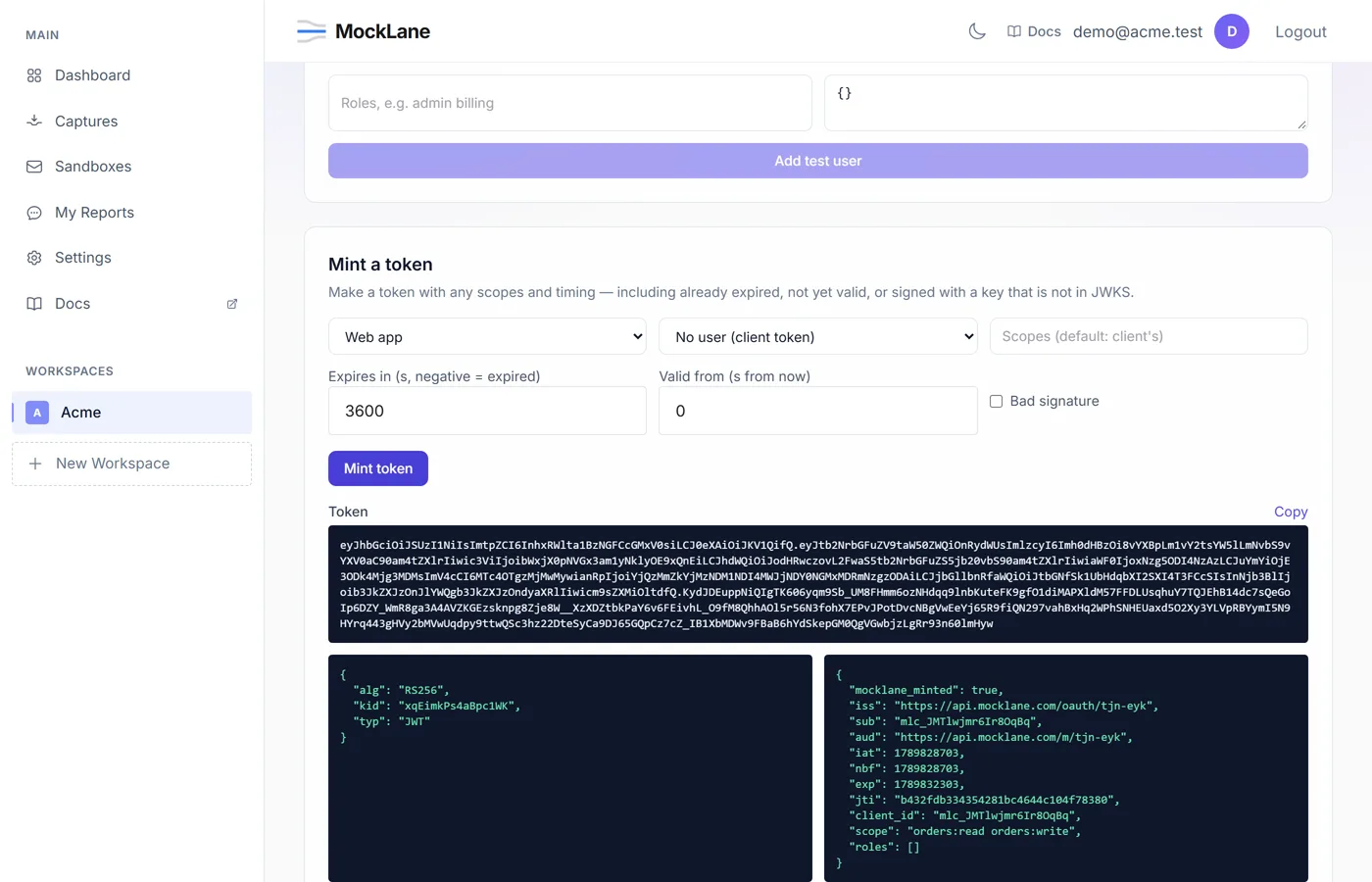
The Mint a token panel signs a token directly, bypassing any grant, so you can hand your app exactly the failure case you want to test: already expired, not yet valid, signed with a key that is not in JWKS, or carrying whatever scopes, roles and custom claims (a JSON object) you type in. Leave roles blank to use the test user's own. A minted token always carries mocklane_minted: true, so it is easy to spot in a log.
How do I use tokens in a scenario?#
A scenario's Get token step takes a client and a grant. For the password grant it only needs a test user's username, never a password — the step runs inside your own workspace, so it can mint the user a token without you handing it a secret to store in the scenario definition.
By default it captures access_token, plus refresh_token when the grant returned one. Checks on the step read the token response, for example access_token exists or scope == "orders:read"; a failing check, or a capture of a field the response does not have, fails the step. Use the captured value in a later step:
{ "type": "get_token", "client_id": "mlc_CLIENT", "grant": "password", "username": "ada" },
{
  "type": "http_request",
  "method": "GET",
  "url": "https://mocklane.com/m/{workspace}/api/me",
  "headers": { "Authorization": "Bearer {{access_token}}" },
  "assert": ["status == 200"]
}
How does my backend verify these tokens?#
If your own service also needs to verify these tokens — rather than only your test client sending them to a mock — it can treat the workspace like any other OIDC issuer.
- Discovery:
GET /oauth/{workspace}/.well-known/openid-configuration. It lists the token, JWKS, userinfo and revocation endpoints, the supported grants and scopes — there is noresponse_types_supported, since there is no authorization endpoint to redirect to. - Keys:
GET /oauth/{workspace}/jwks.json. - Check the issuer claim against the workspace's issuer URL, and accept only
RS256— verifying a token by its ownalgheader without pinning the algorithm is how a forged unsigned or HMAC-“signed” token gets accepted.
MockLane © 2026 · Built for developers
Go to Dashboard