Webhook Capture#
How do I capture a webhook?#
MockLane gives you unique URLs that accept any HTTP request and stores the complete request data — headers, body, query parameters, and metadata — for inspection.
http·Capture URL format
POST https://mocklane.com/h/{endpoint-short-id}

# Your unique capture URL accepts any method:
# GET, POST, PUT, DELETE, PATCH, etc.
How do I create a webhook capture URL?#
- 1Go to the Dashboard and click New Endpoint.
- 2You'll receive a unique URL like
https://mocklane.com/h/abc123. - 3Copy this URL and paste it as the webhook URL in your service's settings (Stripe, GitHub, etc.).
- 4Requests sent to this URL appear in your Captures page within a few seconds, without reloading.
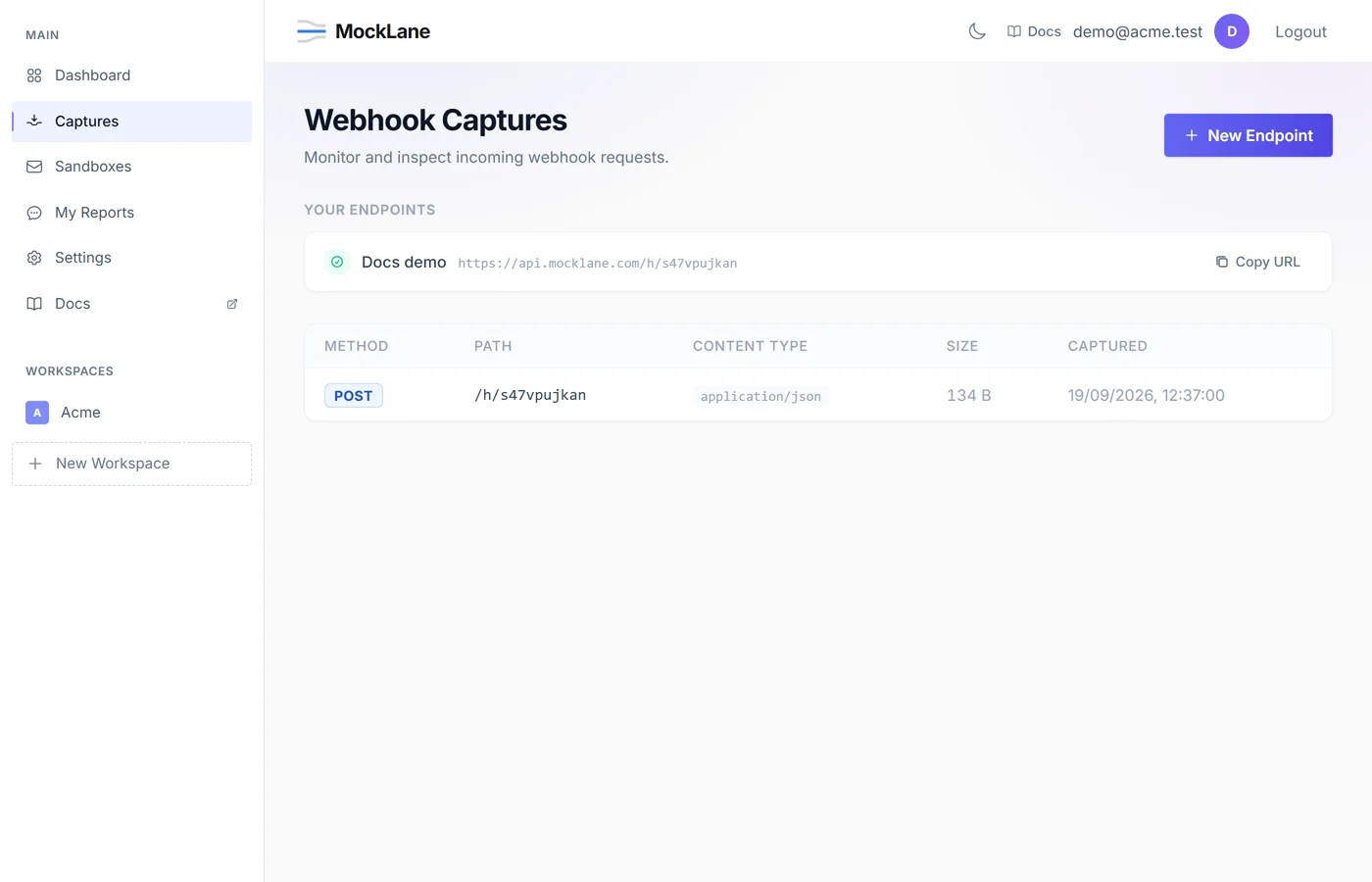
Your capture URL works with any HTTP method and content type. JSON, XML, form data, or plain text — MockLane captures everything.
How do I inspect a webhook payload?#
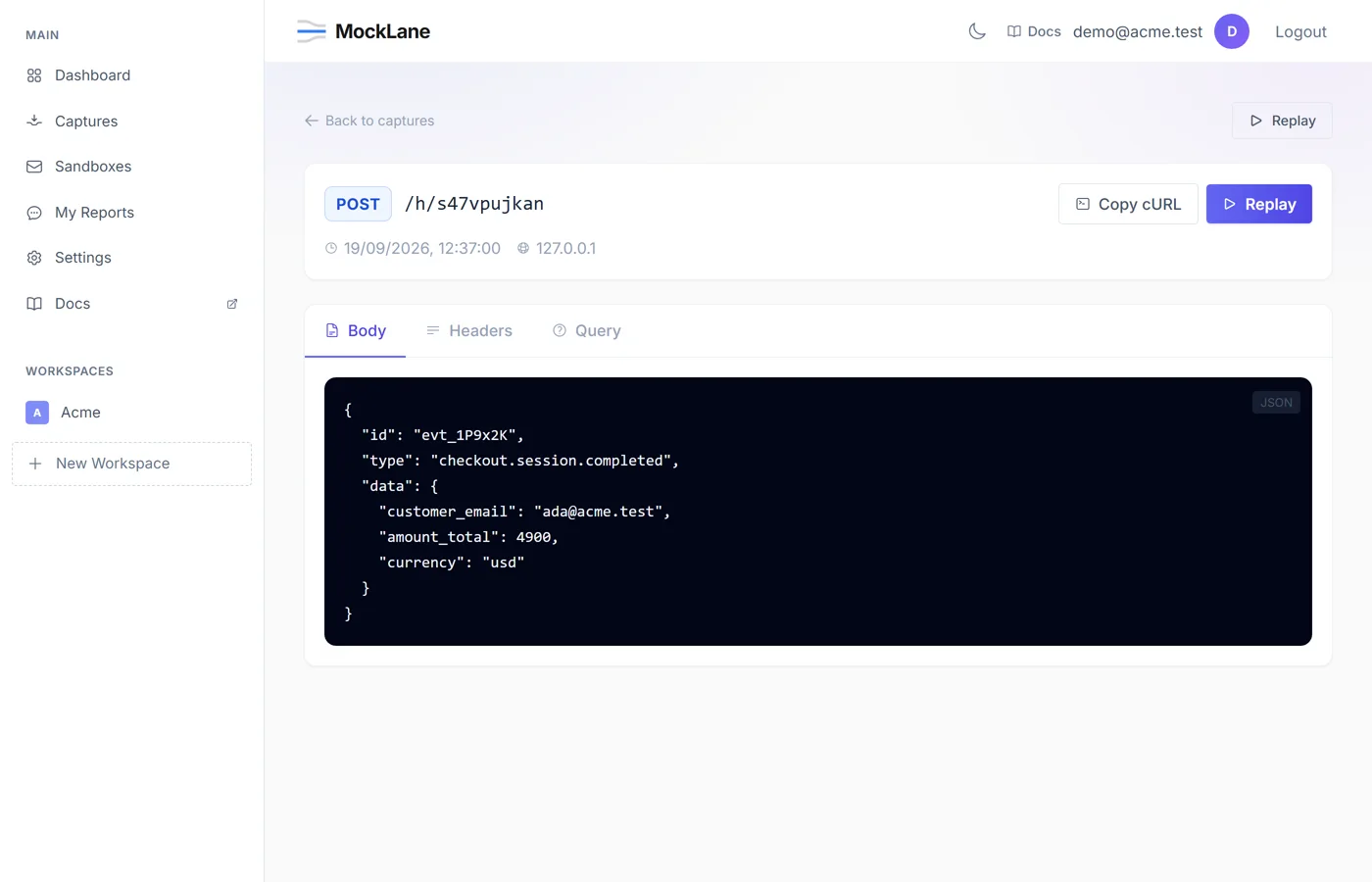
Navigate to Captures in the sidebar. Click any capture to see:
- Headers — All HTTP headers sent with the request.
- Body — Raw request body with auto-formatted JSON.
- Query Parameters — URL query string values.
- Metadata — Method, content type, source IP, timestamp, payload size.
How do I replay a webhook?#
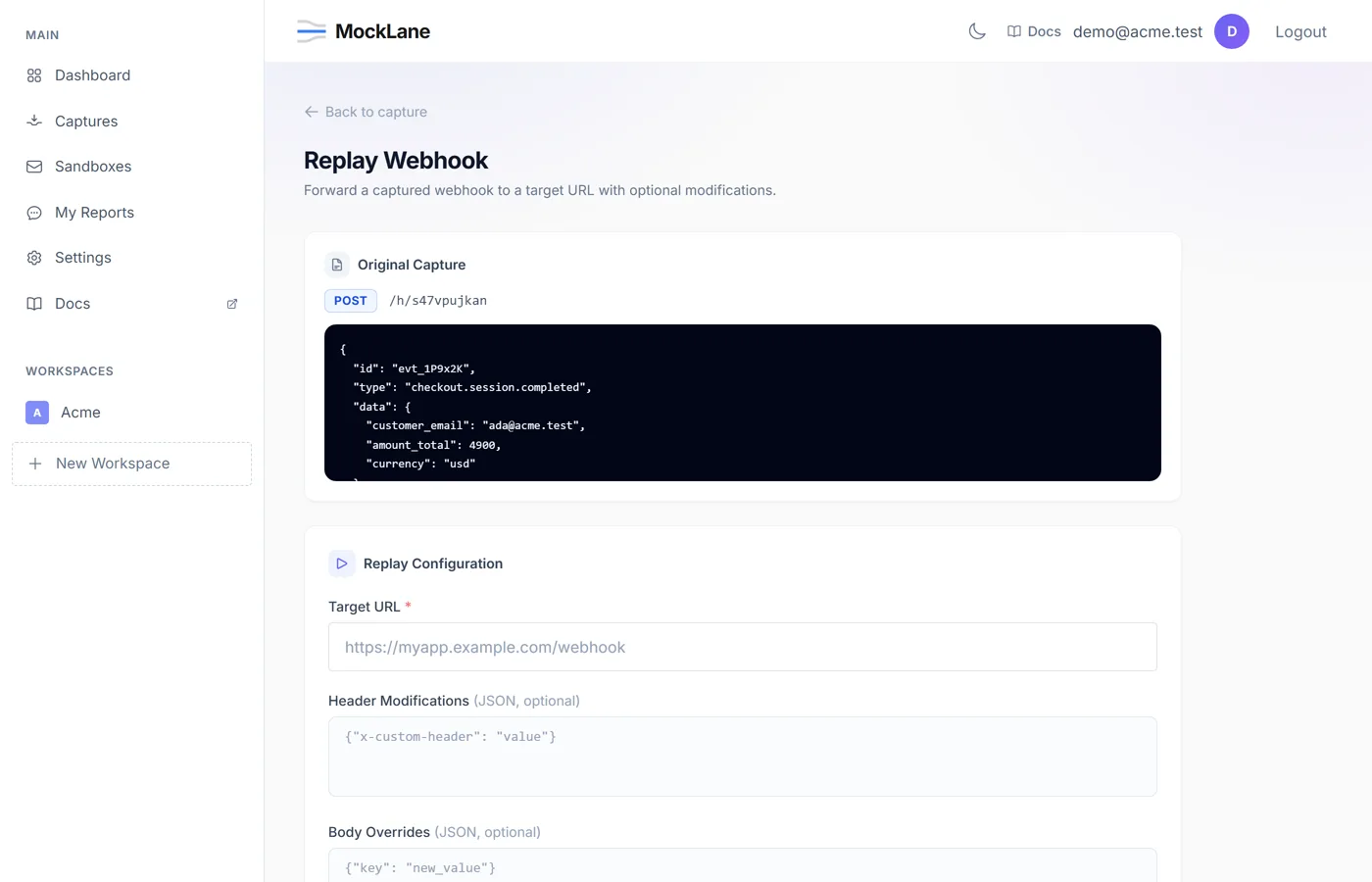
- 1Open a captured request.
- 2Click the Replay button.
- 3Optionally modify the target URL, headers, or body.
- 4View the replay response to verify your application's behavior.
MockLane © 2026 · Built for developers
Go to Dashboard